Skip to content
View in the app

A better way to browse. Learn more.

DVDVR Message Board

A full-screen app on your home screen with push notifications, badges and more.

To install this app on iOS and iPadOS
  1. Tap the Share icon in Safari
  2. Scroll the menu and tap Add to Home Screen.
  3. Tap Add in the top-right corner.
To install this app on Android
  1. Tap the 3-dot menu (⋮) in the top-right corner of the browser.
  2. Tap Add to Home screen or Install app.
  3. Confirm by tapping Install.

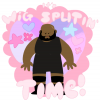
WRESTLER OF THE DAY: MISS MONGOL
Featured Replies

I can't rememer if it was Dean or Ray who had the bigger crush on Mongol. I am gonna go with Ray.


The Miss Mongol footage seems to be somewhat lacking on the series of tubes that is the internet.


http://youtu.be/0-eUzqdCtb0


That being said - Miss Mongolia wants me to protect the Ozone and who am I to say no


Account

Navigation

Search

Search

Configure browser push notifications

Chrome (Android)
  1. Tap the lock icon next to the address bar.
  2. Tap Permissions → Notifications.
  3. Adjust your preference.
Chrome (Desktop)
  1. Click the padlock icon in the address bar.
  2. Select Site settings.
  3. Find Notifications and adjust your preference.